
A fresh start, familiar club
Welcome to the new SISKA site
The new site is easier to use on your phone, with simpler menus and related tasks brought together. It builds on the site our webmaster, Dave Ostapovich, has looked after for years, so all of the club’s history came along.
Take the tour
01 / On your phone
Made for your phone, too
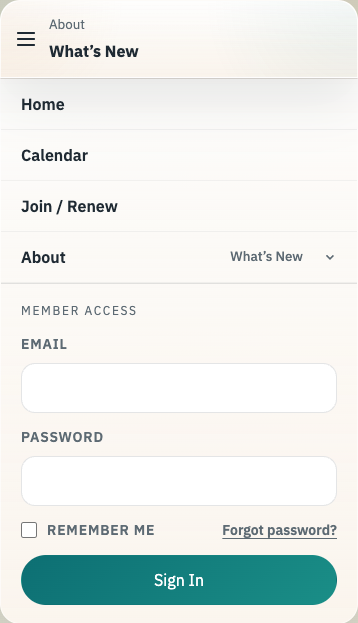
You can now browse activities, register, and manage your account comfortably from your phone. Open the same SISKA website in your phone’s browser; there’s no app to install.
Tap the three-line menu button at the top to find your way around. Activities start in List view on a phone unless you’ve already chosen Calendar, making upcoming outings easier to scan on a smaller screen.
02 / Get out on the water
Start with Calendar
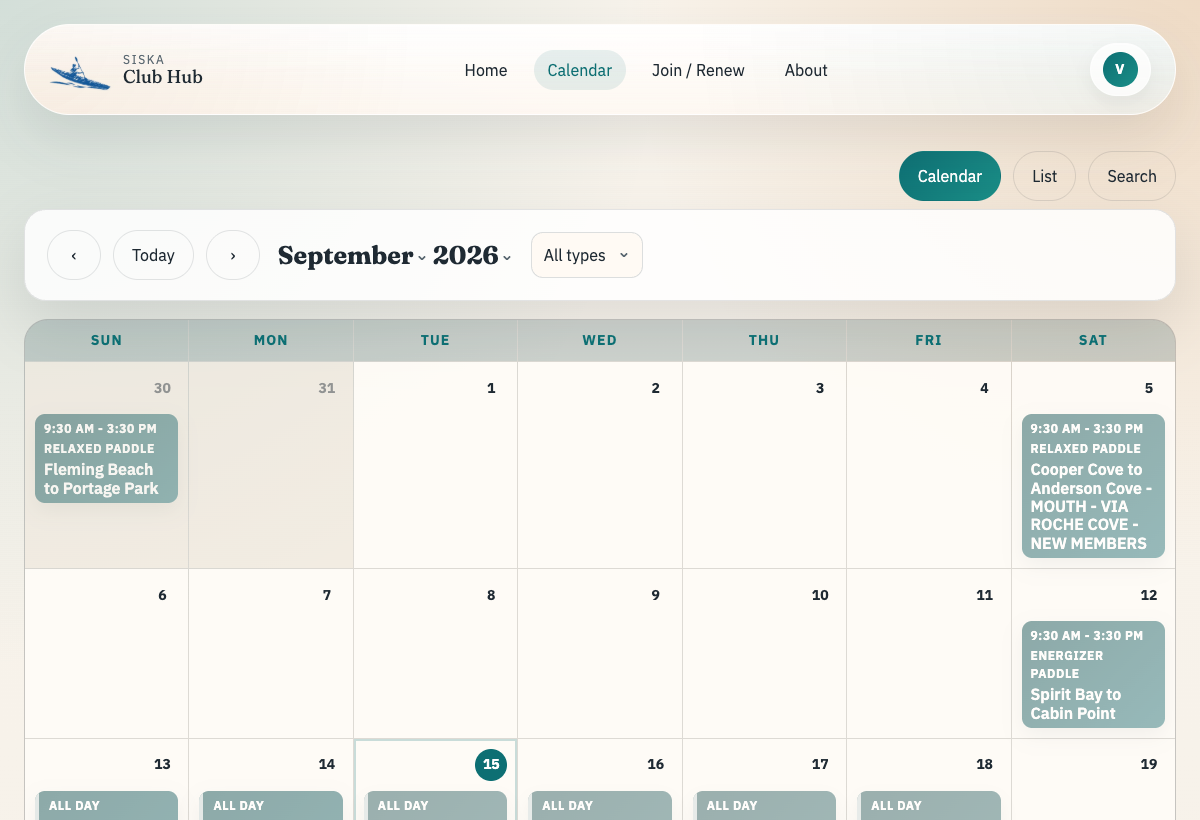
Paddles, clinics, workshops, meetings, and special events share one activity browser. Choose the view that works for you.
- Open Calendar from the main menu.
- Use Calendar for a month at a glance, List for an agenda, or Search to look up an activity. Filter by type to narrow the results.
- Open an activity to read the details. Sign in to see the registration options available to you and follow the steps shown there.
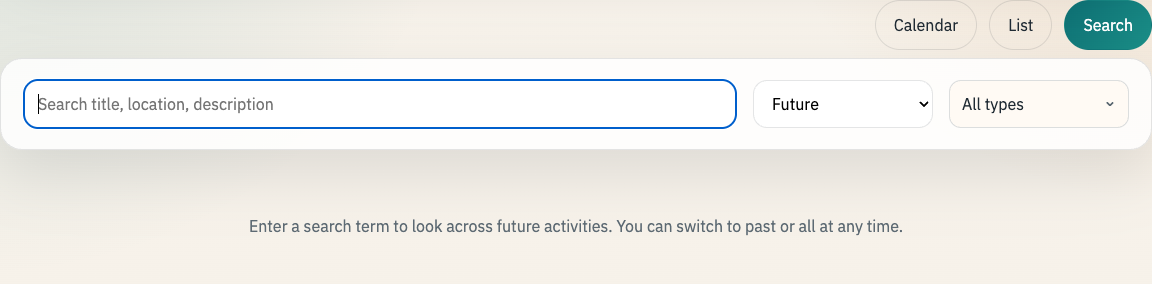
Looking for a past activity?
Open Search, enter a name or place, and change Future to Past or All.
Check or cancel a registration
Return to the activity while signed in to check your registration status. When cancellation is available, choose Cancel registration and follow the confirmation steps. If that option isn’t available, use the activity’s contact link for help.
03 / Your corner of the club
Personal details live in My Account
Sign in, open your name in the top-right corner, and choose My Account. On a phone, open the menu to find My Account.
- Household & Membership
- Check membership status, manage family members, and follow the renewal link when renewal is due.
- Profile & Contact
- Update your contact details and email preferences.
- Waivers & Credentials
- Review your waiver, paddling credentials, and safety qualifications.
- Password & Login
- Change your password or request a password reset link.
Where is my activity history?
Choose Paddler Profile in the main menu to see your participation history and paddling profile.
04 / Club knowledge
Find files under Documents
After signing in, open Documents. Choose Club Documents for minutes, reports, and policies; Library for the club’s library; or Resources for paddling references. Use the search and filters within a section to narrow your results.
The documents you can see depend on your membership and volunteer role.
05 / Helping the club run
Manage an activity from its own page
While signed in, navigate to a paddle, clinic, workshop, or other activity. The new tabs keep the tools for that activity together, so you can modify the event, manage participation, and organize its team without finding a separate menu item for each task.
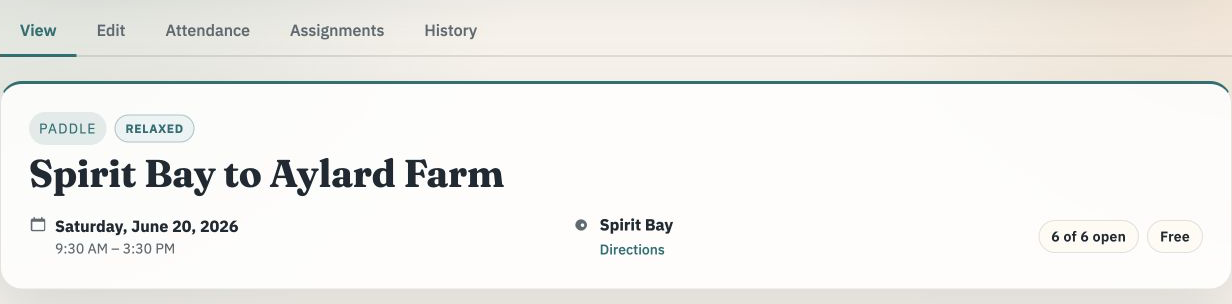
- View
- Read the activity details and see how the event is presented to members.
- Edit
- Update the event’s details, schedule, and other settings.
- Attendance
- Manage registrations, the waitlist, and attendance.
- Assignments
- Manage the leaders and other volunteers assigned to the activity.
- History
- Review the activity’s recorded changes.
You’ll only see the tabs and actions your volunteer role allows.
Find organizer tools in Manage
Use the Manage menu to find paddles, clinics, workshops, and other activities. Choose Claim a Paddle to find a paddle to lead. The menu also brings together other organizer tools, such as launch sites, route maps, and communications, according to your role.
For role-specific reference material, look under Documents → Role Guides. If an expected tool is missing, contact the club so we can help check your access.
Thank you
Built on Dave’s work
For years, SISKA’s website was built and kept running by Dave Ostapovich, our webmaster. This new site stands on that work: every past paddle, newsletter and document came across from his. Dave has helped shape the new site with his feedback and is still part of the team helping it grow, so if you see him on the water, say thanks.
Still finding your bearings?
You can always return to this guide through About → What’s New, even after dismissing the welcome message.